












Get a FREE Gummy or Vape
Sign up to get a FREE welcome vape or gummy on your first order when you buy 4 or more products.


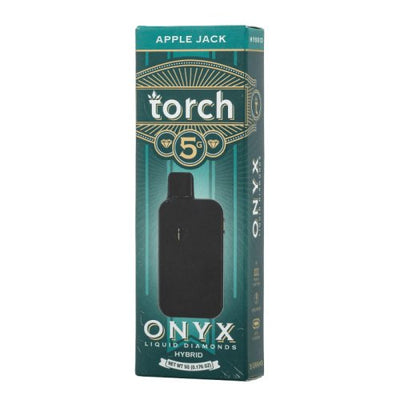
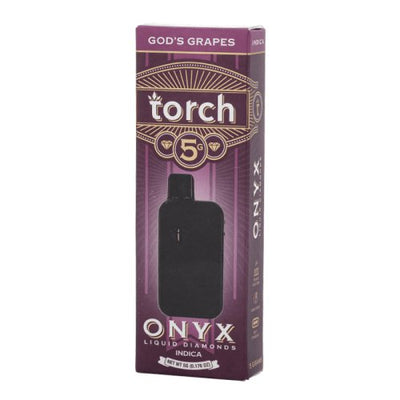
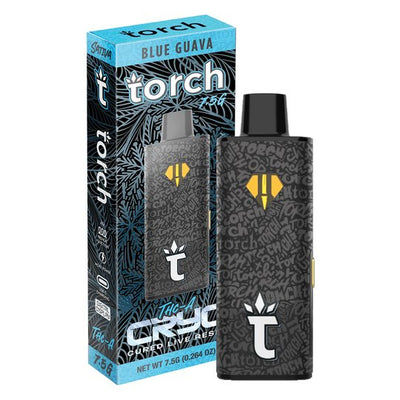
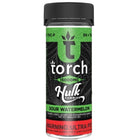
The Torch vape preheat function is a low-heat warm-up cycle that runs for 8 to 15 seconds before your first draw of a session. It is available on the button-activated Torch models: Heavyweight Haymaker 4G, ONYX Liquid Diamond 5G, and CRYO THCA Live Resin 7.5G. On these models, activating preheat before drawing solves the two most common problems with high-potency concentrate vapes: restricted first hits from cold-thickened oil, and harsh draws from trying to vaporize thick concentrate at full voltage without warmup.
The full Torch lineup is at Torch vapes and gummies at DeltaCloudz, including all models that support the preheat function.
===ARTICLE_CTA===
How to Activate Torch Vape Preheat Mode
The preheat activation sequence is the same across all Torch models that support it:
-
Power on the device first: click the button 5 times rapidly. The LED flashes 3 times to confirm power-on.
-
Double-click the button (2 rapid clicks). The LED will light up and stay on for the duration of the preheat cycle, typically 8 to 15 seconds depending on the model.
-
Wait for the preheat cycle to complete. The LED turns off or changes pattern when the cycle ends. Do not draw during the preheat cycle, it is a warming phase only.
-
Draw immediately after the cycle ends while the concentrate is still warm. This is when you will notice the smoothest, most consistent hit of the session.
You do not need to run preheat before every draw. One preheat cycle at the start of each session is sufficient. If you pause for more than 10 to 15 minutes between draws in a cold environment, a second preheat cycle before resuming can help maintain consistency.
Do THCA Diamond Carts Need Preheat?
Yes, more than most formats. THCA diamond concentrate is significantly thicker than live resin oil or distillate at room temperature, and much thicker in cold environments. Without preheat, the first draw on a THCA diamond cart often produces minimal vapor because the coil cannot vaporize cold, thick concentrate at low-to-medium voltage settings. The preheat cycle warms the concentrate to a more fluid state, which allows consistent vaporization from the first draw.
This applies to both the Torch ONYX Liquid Diamond 5G disposable and the Torch Live Resin Diamonds 510 cart. For the ONYX disposable, use the built-in preheat via double-click. For the Torch 510 cart on a third-party battery, use your battery's preheat function if available, or take a 10 to 15 second primer draw at the lowest voltage setting before drawing normally. See the Torch ONYX collection and the Torch carts collection for both formats.
-
===PRODUCT_8895815909668===
-
===PRODUCT_8899123773732===
Torch Heavyweight Haymaker 4G: Preheat Guide
The Heavyweight Haymaker 4G is the most commonly searched Torch preheat model. Here is the complete sequence:
-
Power on: 5 clicks, LED flashes 3 times.
-
Activate preheat: 2 clicks, LED stays on for 10 seconds.
-
After preheat: hold button while inhaling for 2 to 3 seconds. Release the button before stopping your draw.
-
Power off: 5 clicks.
The Haymaker formula is thick. Skipping preheat on the first draw of a cold session often produces a weak, restricted hit that improves significantly once the coil is warm. Preheat solves this reliably.
-
===PRODUCT_9510861996324===
-
===PRODUCT_9100753076516===
Torch Disposable 2G How to Use: Preheat vs Draw-Only Models
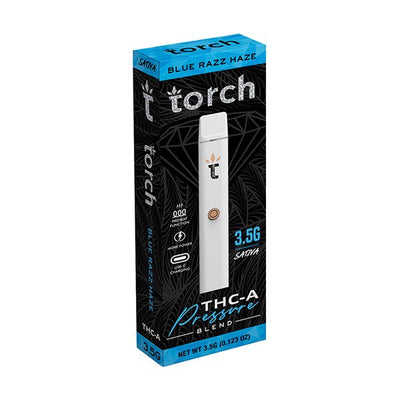
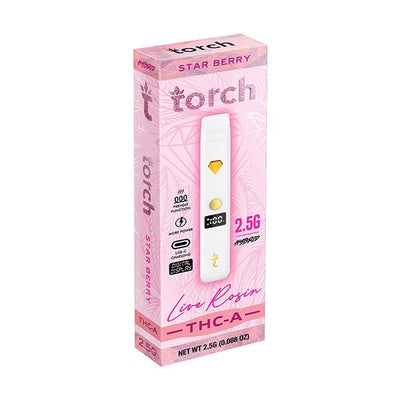
Not all Torch disposable vapes support preheat. The 2G Live Rosin and 2.5G Live Rosin formats are draw-activated only, no button, no preheat function. These models are designed with thinner live rosin oil that vaporizes cleanly without warmup at normal temperatures. Preheat is only available on the button-activated formats.
| Model | Preheat Available | Activation |
|---|---|---|
| THCA Live Rosin 2.5G | No | Draw-activated |
| Pressure Blend THCA 3.5G | No | Draw-activated |
| Heavyweight Haymaker 4G | Yes | Button + 2-click preheat |
| THCA Live Rosin 5G | No | Draw-activated |
| ONYX Liquid Diamond 5G | Yes | Button + 2-click preheat |
| Pebble / Pulse 6G | No | Draw-activated |
| CRYO THCA Live Resin 7.5G | Yes | Button + 2-click preheat |
-
===PRODUCT_9093808259364===
-
===PRODUCT_9518476951844===
The THCA Live Rosin 2.5G and Pebble 6G are the most accessible draw-only formats. No preheat needed, just remove the cap and draw. The full Live Rosin 2.5G selection is in the Torch Live Rosin 2.5G collection. The Pebble 6G is in the Torch Pebble collection.
Torch Preheat Not Working: Common Fixes
If the double-click preheat sequence does not activate on your Torch device, check these in order: the device must be powered on first (5 clicks) before preheat will respond to a double-click. If the device shows no response to any button sequence, charge via USB-C and try again. If the preheat cycle activates but the draw is still restricted, extend the warmup by running a second back-to-back preheat cycle before drawing. On the CRYO 7.5G in cold environments (below 50F), two consecutive preheat cycles may be needed to adequately warm the thick cryo-extracted concentrate.
Frequently Asked Questions:
How do you preheat a Torch vape?
Power on first (5 rapid clicks), then double-click the button to activate the preheat cycle. The LED stays on during the 8 to 15 second cycle. Wait for the LED to change before drawing. This sequence applies to the Heavyweight Haymaker 4G, ONYX Liquid Diamond 5G, and CRYO 7.5G. Draw-activated models do not support preheat.
Do THCA diamond carts need preheat?
Yes, especially in cooler environments. THCA diamond concentrate is significantly thicker than live resin oil. Without warmup, the first draw often produces minimal vapor. Use the built-in preheat on the ONYX 5G (double-click), or use your 510 battery's preheat function for Torch carts. See the Torch carts collection for compatible cart options.
Which Torch vapes have preheat?
The Heavyweight Haymaker 4G, ONYX Liquid Diamond 5G, and CRYO THCA Live Resin 7.5G all have built-in preheat via double-click button sequence. All other current Torch formats (2.5G, 3.5G, 5G Live Rosin, 6G Pebble, 6G Pulse) are draw-activated only with no preheat function.
Why is preheat not working on my Torch vape?
The device must be powered on first with 5 clicks before double-click preheat will respond. If the device shows no response to any button input, charge it via USB-C. Cold devices may also show delayed response, charge first, then try the sequence. The double-click must be two rapid clicks within 1 second to register correctly.
What does preheating a cart do?
Preheat runs a low-heat cycle that warms thick concentrate to a more fluid state before your first draw. This produces a more consistent vapor on the first hit, reduces the chance of a restricted or harsh draw from cold concentrate, and extends coil life by preventing the coil from being forced to vaporize solid or semi-solid material at full voltage.
All Torch products sold at DeltaCloudz are hemp-derived and contain less than 0.3% Delta-9 THC by dry weight, compliant with the 2018 Farm Bill. Intended for adults 21 and older. Do not use if pregnant or nursing. Not available in all states. These statements have not been evaluated by the FDA.