














Get a FREE Gummy or Vape
Sign up to get a FREE welcome vape or gummy on your first order when you buy 4 or more products.


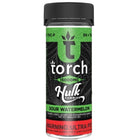
If your Torch vape not working situation started recently, the fix is usually one of four things: a dead battery, a clogged airway, a connection issue, or an error code. This guide covers every common Torch disposable vape not working scenario, including the E2 error on Torch carts, the 6 gram Torch not turning on problem, and model-specific fixes for the Heavyweight Haymaker 4G, ONYX Liquid Diamond, CRYO, and Live Rosin lines.
All Torch replacement models are available at Torch vapes and gummies at DeltaCloudz if your device is at end of life.
===ARTICLE_CTA===
Torch Disposable Vape Not Working: First Checks
Before anything else, confirm these three things in order. They resolve the majority of Torch vape not working issues without any other intervention:
-
The mouthpiece cap is fully removed. Torch vapes ship with a silicone cap that blocks airflow completely. If the cap is still on, the device will not fire regardless of battery level.
-
The device is charged. Connect via USB-C at the base and wait for the LED to respond. If there is no LED response at all after 60 seconds of charging, try a different cable before assuming the device is defective.
-
For button-activated models (Heavyweight Haymaker 4G, ONYX 5G, CRYO 7.5G): the device is powered on. Click the button 5 times rapidly. The LED should flash 3 times to confirm power-on. If the LED does not respond to 5 clicks, charge the device first.
What Does E2 Mean on a Torch Cart?
E2 on a Torch cart is a connection error between the cartridge and the battery. It means the battery cannot detect a complete circuit through the 510-thread connection. The most common causes in order of frequency: the cart is cross-threaded (screwed in at an angle), the 510 contact pin on the battery is pushed in too far, or oxidation on the contact surface is breaking the connection.
Fix sequence for E2 on a Torch cart: unscrew the cart completely, inspect the 510-thread contact on both the cart and the battery for debris or oxidation, clean gently with a dry cotton swab, then re-thread slowly and evenly until snug, do not overtighten. If the E2 error persists after cleaning and re-threading, try the cart on a different 510 battery to isolate whether the issue is the cart or the battery. If the E2 clears on a different battery, the contact pin on the original battery needs adjustment or replacement.
6 Gram Torch Not Turning On
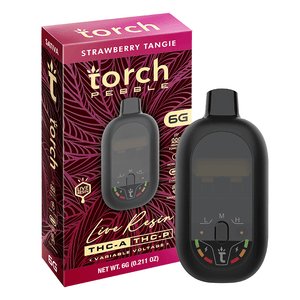
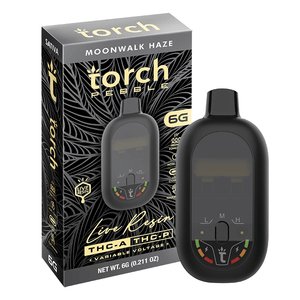
The 6 gram Torch formats (Pebble and Pulse Live Resin 6G) are draw-activated. There is no power button or 5-click sequence. If your 6 gram Torch is not turning on, the issue is either battery, airflow sensor, or the cap. Work through this sequence:
-
Remove the mouthpiece cap completely and try a slow, steady 3-second draw. The sensor activates on sustained airflow, not pressure.
-
If the LED does not light up during a draw, plug in via USB-C and charge for at least 20 minutes before retrying.
-
If the LED lights up but no vapor is produced, take one primer draw at medium force without inhaling to clear any condensation from the airway. This resolves most no-vapor-with-LED situations on 6G formats.
-
If the device was stored in cold conditions, warm it in your palms for 60 seconds before drawing. Live resin concentrate thickens significantly below 60F, which can block the sensor response.
-
===PRODUCT_9518476951844===
-
===PRODUCT_9518452539684===
Torch Heavyweight Haymaker 4G Not Working
The Heavyweight Haymaker 4G is button-activated. If it is not responding, the power sequence is the first thing to check: 5 rapid clicks within 2 seconds to power on, 5 clicks to power off. If the LED does not respond to 5 clicks, charge the device. If the LED responds but the device does not produce vapor when holding the button, run the preheat function (2 clicks) to warm the thick Haymaker concentrate before drawing. Cold concentrate in the Haymaker formula resists vaporization until the coil reaches operating temperature, which preheat addresses directly.
Torch Vape Blinking: What Each Pattern Means
| Blink Pattern | Meaning | Fix |
|---|---|---|
| 3 to 5 blinks then stops | Low battery | Charge via USB-C |
| 10 rapid blinks | Short circuit or connection issue | Check cart connection, clean 510 contact |
| 3 blinks on power-on | Confirmed power-on (normal) | No action needed |
| Continuous blink while drawing | Draw too long (auto-cutoff triggered) | Shorten draw to 3 seconds or less |
| No blink at all | Dead battery or no connection | Charge or check cap/connection |
Torch Vape Clogged: Airflow Fixes
Clogged airflow in Torch disposables most commonly happens after extended storage or in cold environments where concentrate thickens and partially blocks the airway. Fix: warm the device in your palms for 60 seconds, then take one firm primer draw without activating the device (draw-activated models) or after a preheat cycle (button-activated models). If airflow is still restricted, gently clear the mouthpiece opening with a dry cotton swab at the opening only. Do not insert anything deeper than the mouthpiece opening into the airway.
Frequently Asked Questions:
Why is my Torch disposable vape not working after charging?
The most common cause after charging is thick concentrate blocking the first draw. Run the preheat function if your model supports it (Haymaker 4G, ONYX 5G, CRYO 7.5G). For draw-activated models, take one primer draw without inhaling to clear the airway before your first real draw. If the device fires but produces no vapor, check the oil window, if empty, the device is at end of life.
What does E2 mean on a Torch cart?
E2 is a connection error indicating the battery cannot complete a circuit through the 510-thread connection. Unscrew the cart, clean both 510 contacts with a dry cotton swab, and re-thread slowly. If E2 persists on the same battery, try the cart on a different 510 battery. If E2 clears, the original battery contact pin needs adjustment.
Why is my 6 gram Torch not turning on?
The Pebble and Pulse 6G formats are draw-activated with no button. Check the cap is removed, try a slow steady draw, and charge if no LED response. If stored in cold conditions, warm the device in your palms first to thin the concentrate before drawing.
How do I fix a torch vape that is not hitting?
In order: remove cap, confirm battery is charged, check power-on for button-activated models, run preheat to warm thick concentrate, take a primer draw to clear the airway. If none of these resolve it, check the oil window for remaining concentrate. If the window is clear and the device is charged and powered on, the coil may be at end of life.
Why is my Torch vape blinking and not hitting?
3 to 5 blinks with no vapor means low battery, charge via USB-C. 10 rapid blinks means short circuit or 510 connection issue, clean the contact and re-thread. Continuous blinking during a draw means the auto-cutoff has triggered, your draw was too long. Keep draws to 3 seconds or less.
All Torch products sold at DeltaCloudz are hemp-derived and contain less than 0.3% Delta-9 THC by dry weight, compliant with the 2018 Farm Bill. Intended for adults 21 and older. Do not use if pregnant or nursing. Not available in all states. These statements have not been evaluated by the FDA.