













Get a FREE Gummy or Vape
Sign up to get a FREE welcome vape or gummy on your first order when you buy 4 or more products.


To turn on a Mellow Fellow vape, press the button five times rapidly. That applies to Live Resin devices. Terp Sauce models have no button at all, inhale and they fire. Which one you own decides everything else in this guide, so start there.
All current Mellow Fellow devices are USB-C rechargeable. Before your first session, check the LED for battery status. A quick dry pull through the mouthpiece (without drawing in) confirms airflow is clear. Both steps take ten seconds and prevent most first-use problems.
===ARTICLE_CTA===
Which Mellow Fellow Do You Have?
Mellow Fellow makes two kinds of device and they work differently. The label on the box tells you which.
| Extract | Sizes | Activation | Preheat |
|---|---|---|---|
| Live Resin | 1mL, 2mL, 4mL | Button, 5 clicks to power on | Yes, double-click |
| Terp Sauce | 2G, 5G | Draw, no button, just inhale | No |
Both run through the Destination Series, so a city name on the box does not tell you which type you have. Check the size: 1mL is Live Resin, 2G and 5G are Terp Sauce.
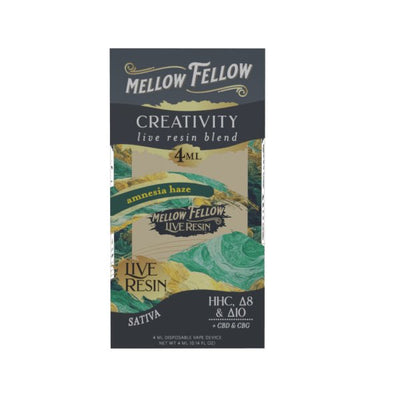
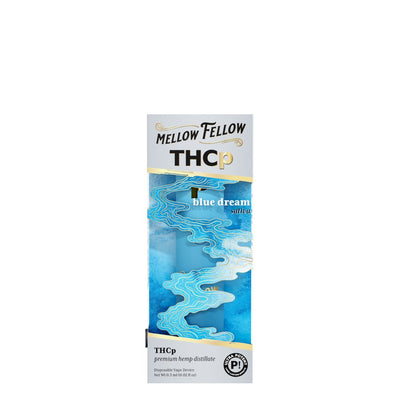
One device from each size tier, so you can see the difference:
-
===PRODUCT_9600120160548===
-
===PRODUCT_9892047913252===
-
===PRODUCT_9602759655716===
How Do You Turn On a Mellow Fellow Vape?
Press the button five times rapidly. The LED flashes to confirm the device is on. This is for Live Resin models in 1mL, 2mL, and 4mL.
Terp Sauce models in 2G and 5G have no button and no on switch. Inhale and they fire. If nothing happens, the battery is flat, charge via USB-C for twenty minutes.
How Do You Turn Off a Mellow Fellow Vape?
Press the button five times rapidly again. The same sequence toggles it off, and the LED flashes to confirm. A device that is off will not fire, that is the lock function, not a fault.
Terp Sauce models cannot be turned off. They sleep between draws on their own.
How Do You Preheat a Mellow Fellow Vape?
Double-click the button. The coil warms at low power for a few seconds and stops on its own. Use it when the device has been cold or the first draw feels thin.
Terp Sauce models have no preheat. If the extract is cold, hold the device in your hand for thirty seconds instead.
What Do the Mellow Fellow LED Colors Mean?
The LED does two jobs: battery status on every device, and voltage setting on button models.
| LED | Model | Meaning |
|---|---|---|
| Red blinking | All | Low battery, charge via USB-C |
| Pulsing, any color | All | Charging, leave it until it stops |
| Blinking 10 times, then off | Live Resin | Battery critically low |
| Green | Live Resin | Low voltage, best flavor |
| Blue | Live Resin | Medium voltage |
| Purple or white | Live Resin | High voltage, densest vapor |
| No light | Terp Sauce | Fully charged, ready to use |
How Do You Change the Voltage?
Press the button three times to cycle through the three settings. Start on green. Live resin terpenes are heat-sensitive, and low voltage preserves the flavor. Move up only if the vapor feels too thin.
How to Use It, Step by Step
-
Unbox and check for plugs. Some devices ship with a silicone plug in the mouthpiece or at the base. Remove them before use.
-
Check the LED and do a dry pull. A quick inhale without drawing in confirms airflow is clear and shows battery status before your first real draw.
-
Charge if the vapor feels weak. USB-C at the base, 45 to 60 minutes from empty. Avoid Apple charging blocks, the power output can exceed what the device handles. An Apple USB-C cable with a different adapter works fine. Do not leave it charging overnight.
-
Power on with five clicks if it is a Live Resin model. Terp Sauce needs nothing.
-
Check the airflow switch on the side if your model has one. Sliding it down opens airflow for bigger vapor; up restricts it for a tighter draw.
-
Set the voltage low on button models, then adjust up if you want more vapor.
-
Draw slowly. Beginners: 1 to 2 seconds. Experienced users: 3 to 4 seconds. Hard, fast pulls overheat the extract and flatten the flavor.
-
Wait ten to fifteen seconds between draws so the coil re-saturates.
-
Start with one or two draws and wait before taking more.
-
Store upright at room temperature, out of direct sunlight, away from heat above 85°F.
Do not drive or operate machinery. Must be 21 and older.
The 4mL Live Resin Desire Blend is the bestselling format at DeltaCloudz. For users who want the 1mL entry point, the Destination Series covers all ten blends at a lower price. Browse the full Mellow Fellow Live Resin lineup for current availability.
-
===PRODUCT_9602739503396===
-
===PRODUCT_9600183140644===
Using a Mellow Fellow Cartridge
The 510-thread Mellow Fellow carts work with any standard battery.
-
Set 2.4 to 2.8V. Low voltage keeps the terpene profile intact.
-
Never exceed 3.8V. It burns the coil and the flavor does not come back.
-
Screw in finger-tight. Overtightening damages the connection and causes leaks.
-
Store upright so the extract stays settled around the coil.
No battery yet? See our 510 vape batteries.
Troubleshooting
It will not fire. On a button model, check it is on, five clicks. On a draw model, remove any silicone plug and inhale slightly harder to trip the sensor. No LED at all means a flat battery.
Weak or thin vapor. Low battery is the usual cause. After that, cold: the extract thickens and needs preheat, or thirty seconds in your hand.
Harsh or burnt taste. Voltage too high or draws too long. Drop to green and shorten pulls to two or three seconds.
Clogged mouthpiece. Take a few short puffs without inhaling to clear condensation. Warm the device in your hand first.
Blinking red. Low battery cutoff. Charge it via USB-C. If you are using an Apple charging block, switch to a different adapter, Apple blocks often deliver more power than the device handles, preventing it from charging. An Apple USB-C cable on a non-Apple adapter works fine.
Not charging. Try another cable and another port. Clean the USB-C contacts with a dry cotton swab.
Which Mellow Fellow Blend Should You Choose?
There are ten, and the cannabinoid formula behind each one changes between sizes. The 5G devices read differently on the lab report than the 1mL of the same blend. Check the COA on the product page rather than assuming they match.
-
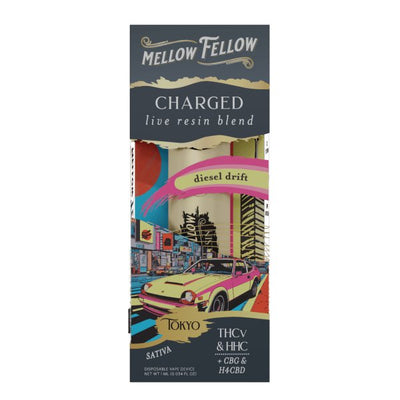
Charged Blend, THC-V forward, the most stimulating
-
Clarity Blend, level and even
-
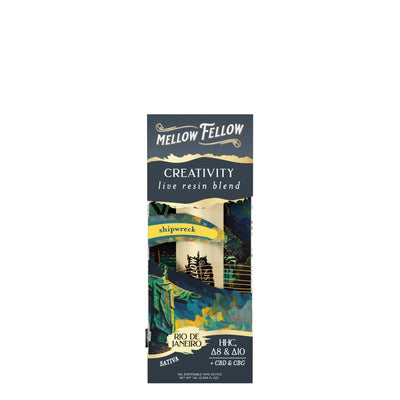
Creativity Blend, the only blend built around Delta-10
-
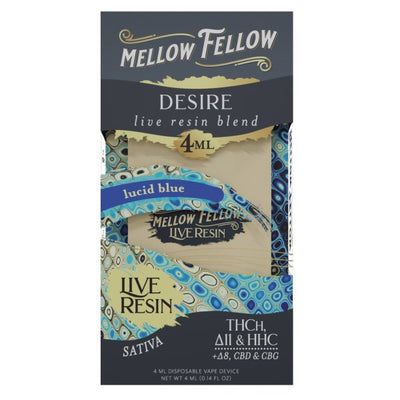
Desire Blend, the most balanced spread
-
Dream Blend, the most THC-P of the ten
-
Euphoria Blend, highest Delta-8, lowest CBN
-
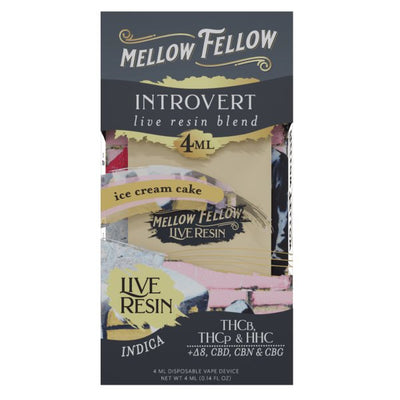
Introvert Blend, the only one whose COA shows THC-B
-
Motivation Blend, unusually high CBG
-
Recover Blend, the most CBD
-
Tranquility Blend, the most CBN, the heaviest of the ten
The 4mL Live Resin is the largest button-activated device. The THC-P line is a separate range built on THC-P rather than on a blend:
-
===PRODUCT_9602710667556===
-
===PRODUCT_9613872103716===
Frequently Asked Questions:
How do you turn on a Mellow Fellow vape?
Press the button five times rapidly on Live Resin models in 1mL, 2mL, and 4mL. The LED flashes to confirm it is on. Terp Sauce models in 2G and 5G have no button, inhale and they fire automatically.
How do you turn on a Mellow Fellow disposable?
The answer depends on the model. Live Resin disposables need five rapid button clicks to power on. Terp Sauce disposables are draw-activated with no button, inhale and they start. If nothing happens on either type, check the battery: charge via USB-C for 20 minutes and try again.
Why is my Mellow Fellow blinking blue 3 times?
Three blue blinks on a Live Resin model typically indicate a short circuit, a dead battery, or a loose connection. Charge the device fully via USB-C. If the blinking continues after a full charge, inspect the mouthpiece for blockage and check that nothing is bridging the airflow sensor. Persistent blinking after those steps usually means the device needs to be replaced.
How do you preheat a Mellow Fellow?
Double-click the button. Only Live Resin models have preheat. The coil warms for a few seconds then stops on its own. On a Terp Sauce device, warm it in your hand for thirty seconds instead.
Why is my Mellow Fellow blinking red?
Low battery. Charge it via USB-C at the base for twenty to thirty minutes. Avoid Apple charging blocks, they can deliver more power than the device handles. An Apple USB-C cable with a non-Apple adapter works fine. If it blinks ten times and stops, the battery is critically low.
Are Mellow Fellow vapes draw-activated or button-activated?
Both exist. Live Resin devices are button-activated with voltage settings and preheat. Terp Sauce devices are draw-activated with neither.
Are Mellow Fellow disposables rechargeable?
Yes, all current devices are USB-C rechargeable. None are refillable. To reload a device yourself, use a THCA terp sauce syringe with a refillable unit.
How long does a Mellow Fellow vape last?
A 2G gives roughly 300 to 500 draws depending on draw length. A 4mL runs about double that, and the 5G about double again.
Which Mellow Fellow blend is strongest?
The answer depends on the cannabinoid. Dream carries the most THC-P, Tranquility the most CBN, Euphoria the highest Delta-8. Compare the COAs rather than the names, and start with one or two draws whichever you pick.
Can I buy Mellow Fellow online?
Yes. All Mellow Fellow products at DeltaCloudz are hemp-derived and contain less than 0.3% Delta-9 THC by dry weight, compliant with the 2018 Farm Bill. State law varies, check your local regulations. Must be 21 and older. Shop Mellow Fellow.
===KLA===
All Mellow Fellow products at DeltaCloudz are hemp-derived and contain less than 0.3% Delta-9 THC by dry weight, compliant with the 2018 Farm Bill. Intended for adults 21 and older. Do not use if pregnant or nursing. Effects vary by individual. Not available in all states. These statements have not been evaluated by the FDA. This product is not intended to diagnose, treat, cure, or prevent any disease.