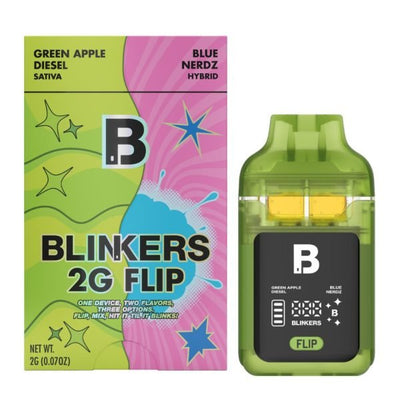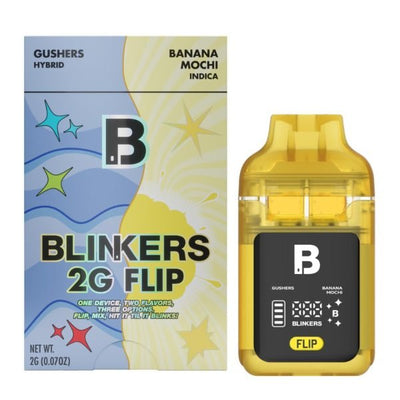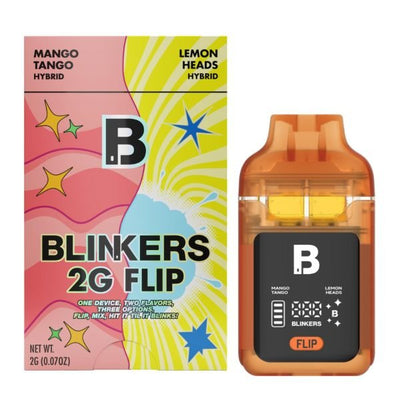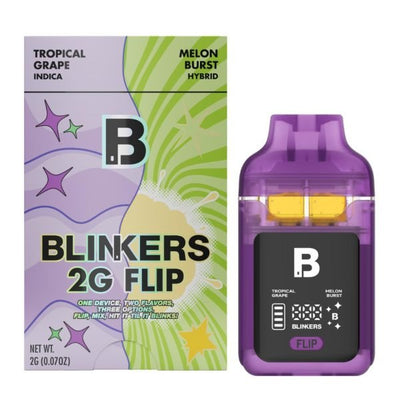














Get a FREE Gummy or Vape
Sign up to get a FREE welcome vape or gummy on your first order when you buy 4 or more products.

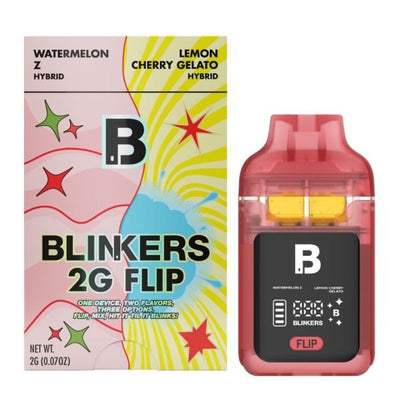
Your Blinkers Flip is not hitting: no vapor, weak hits, or the device is completely unresponsive. Before you assume it's broken, try these 6 fixes. Most Blinkers Flip issues are caused by one of three things: dead battery, wrong mode selection, or an airflow blockage. All of which are easy to fix in under 5 minutes.
Every Blinkers Flip at DeltaCloudz is lab-tested and COA verified. If you need a replacement after troubleshooting, shop all Blinkers Flip flavors.
===ARTICLE_CTA===
Fix 1: Charge the Battery First
This is the most common reason a Blinkers Flip stops hitting. The battery dies before the oil runs out, but many users don't realize it because the LED display dims before going blank.
How to fix it:
-
Connect a USB-C cable to the port at the base of the device
-
Plug into any wall adapter, laptop, or power bank
-
Charge for 45-60 minutes. The LED will illuminate when charging
-
Try hitting it again after a full charge
If vapor returns after charging, that was the issue. The Blinkers Flip battery is designed to outlast the 2G oil, but heavy Mix Mode use drains it faster than Solo mode since both coils fire simultaneously.
Fix 2: Make Sure You Selected a Mode
The Blinkers Flip is button-activated, not draw-activated like most disposables. If you don't select a mode first, the device won't fire when you inhale. This is the most common mistake for first-time users.
How to fix it:
-
Press the button 5 times quickly to power on. The LED will flash to confirm
-
Click once for Mode A (Strain 1), twice for Mode B (Strain 2), three times for Mix Mode
-
The LED display will show which mode is active
-
Now inhale from the mouthpiece. The device should fire
If the LED doesn't flash when you click 5 times, the battery is dead. Go to Fix 1.
Fix 3: Clear the Airflow
THCA Live Resin oil is thick. In cold temperatures it can congeal and block the airflow path, causing weak hits or no vapor at all.
How to fix it:
-
Warm the device in your hands for 2-3 minutes
-
Take a slow, controlled draw without activating the device. This can pull the oil down
-
Try activating and hitting normally after warming
-
If still blocked, try a slightly longer draw of 4-5 seconds to break the blockage
-
===PRODUCT_10244762140964===
-
===PRODUCT_10244827185444===
Fix 4: Check the Mouthpiece
Residue and condensation can build up in the mouthpiece over time, especially in Mix Mode where both chambers fire simultaneously.
How to fix it:
-
Remove the mouthpiece if detachable on your model
-
Use a dry cotton swab to clean any visible residue inside the mouthpiece
-
Blow gently through the airpath to clear any blockage
-
Reattach and test
Fix 5: Let It Cool Down
The Blinkers Flip has an 8-second auto-cutoff. After a long session or several back-to-back blinker hits, the coil can overheat and temporarily stop firing.
How to fix it:
-
Stop using the device for 5-10 minutes
-
Let the coil cool to room temperature
-
Try again with shorter draws of 3-4 seconds instead of full blinker hits
The 8-second cutoff is a safety feature, not a malfunction. If the device cuts off mid-hit, you have hit the limit. Wait a few seconds before the next draw.
Fix 6: Try the Other Chamber
If one chamber is not hitting but the other is, one side may simply be out of oil. Each chamber holds 1G independently. You can finish one side before the other.
How to check:
-
Click once for Mode A and try hitting
-
Click twice for Mode B and try hitting
-
If one mode produces vapor and the other doesn't, that chamber is empty
-
Continue using the remaining chamber in Solo mode
-
===PRODUCT_10244858446116===
-
===PRODUCT_10244904485156===
Blinkers Flip LED Blinking Patterns: What They Mean
| LED pattern | Meaning | Action |
|---|---|---|
| 1 blink | Mode A selected (Strain 1) | Ready to use |
| 2 blinks | Mode B selected (Strain 2) | Ready to use |
| 3 blinks | Mix Mode selected (both chambers) | Ready to use |
| Fast blinking (10+) | Low battery | Charge via USB-C now |
| Alternating blinks | Device error | Power off and on (5 clicks twice) |
| No response | Battery dead | Plug in USB-C immediately |
When Should You Replace It?
If you have tried all 6 fixes and the device still won't hit, it is likely a defective unit. At DeltaCloudz, all Blinkers Flip devices are verified authentic before shipping. If your device arrived defective, contact our support team.
Ready to replace or try a different flavor combo? Shop all Blinkers Flip. And if you want to know more about the full Blinkers Flip system before buying, the Blinkers Flip overview guide covers every feature in detail.
Frequently Asked Questions:
Why is my Blinkers Flip not hitting?
The most common causes are dead battery, wrong mode selection, or airflow blockage. Charge via USB-C for 45-60 minutes, make sure you have selected a mode with the button (1, 2, or 3 clicks), and warm the device if it has been in the cold.
Why is my Blinkers Flip blinking but not producing vapor?
Fast blinking (10 or more times) usually means low battery: charge it. If the battery is full but there is no vapor, the airpath may be blocked. Warm the device in your hands and try a slow draw without activating to clear the oil.
Why does my Blinkers Flip cut off after a few seconds?
The 8-second auto-cutoff is a built-in safety feature that prevents coil burnout. After 8 seconds the device stops firing automatically. Wait a few seconds between draws for consistent vapor production.
Can I use the Blinkers Flip while charging?
Not recommended. Charge fully first (45-60 minutes), then disconnect and use. Using while charging can affect battery performance over time.
Why is my Blinkers Flip not charging?
Check that the USB-C cable is fully seated in the port at the base of the device. Try a different cable or power source. If the LED shows no response after plugging in with a working cable and charger, the battery may be fully depleted: leave it plugged in for at least 15 minutes before checking again. If there is still no response, the device may be defective.
Where can I buy a replacement Blinkers Flip?
DeltaCloudz carries all Blinkers Flip flavor combos, authentic and lab-tested. Shop Blinkers Flip flavors at DeltaCloudz.
===KLA===
All Blinkers products sold at DeltaCloudz are hemp-derived and contain less than 0.3% Delta-9 THC by dry weight, compliant with the 2018 Farm Bill. Intended for adults 21 and older. Not available in all states. These statements have not been evaluated by the FDA.